> For the complete documentation index, see [llms.txt](https://help.supplyd.co/llms.txt). Markdown versions of documentation pages are available by appending `.md` to page URLs; this page is available as [Markdown](https://help.supplyd.co/supplyd-erp/products/product-types/gift-notes-and-cards.md).
# Gift Notes & Cards
Including gift notes or cards with sales in Supply’d ensures customer messages are captured and included with orders for a better customer experience.
**Gift Notes and Cards** allow you to include personalised messages with customer orders, creating a more thoughtful and professional delivery experience. Supply’d captures gift notes from supported sales channels or allows them to be added during order processing, ensuring the correct message is included when packing the order. This helps streamline fulfilment, reduces the risk of missed messages, and enhances the overall customer experience for gift purchases and special occasions.
{% stepper %}
{% step %}
#### Open the Products Page
Select **Products** from the main menu. The **Products** page will open.
***
{% endstep %}
{% step %}
#### Click Add +
To create a new product, click the **Add +** button in the top right corner.

The **Add Product** form will appear.
***
{% endstep %}
{% step %}
#### Complete Product Details & Custom Fields
Complete the **Product Details** and any optional **Custom Fields** sections, as explained in the [Adding Products](/supplyd-erp/products/adding-products.md) document.
***
{% endstep %}
{% step %}
#### Select the Product Type
Select **Gift Card/Note** from the **Product Type\*** menu.
{% hint style="success" %}
The **Gift Card/Note** product type is used for items like gift cards, gift notes, or messages that can be added to a customer's order.
These products:
* Can still be added to orders like any other product.
* Are helpful for personalised customer experiences or promotions.
{% endhint %}
When **Gift Card/Note** is selected as the product type, an additional section - **Gift Card/Note** - will appear (after the **Buy Product** section).
***
{% endstep %}
{% step %}
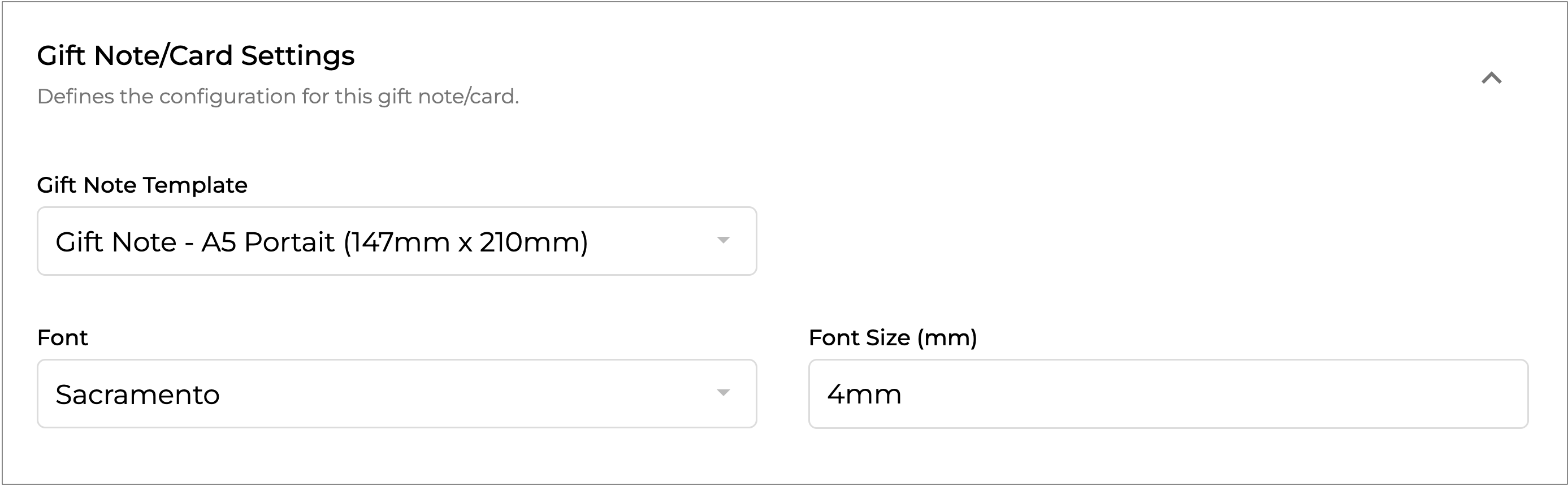
#### **Gift Card/Note**
{% hint style="warning" %}
This section will only show if **Gift Note/Card** is selected as the **Product Type**.
{% endhint %}
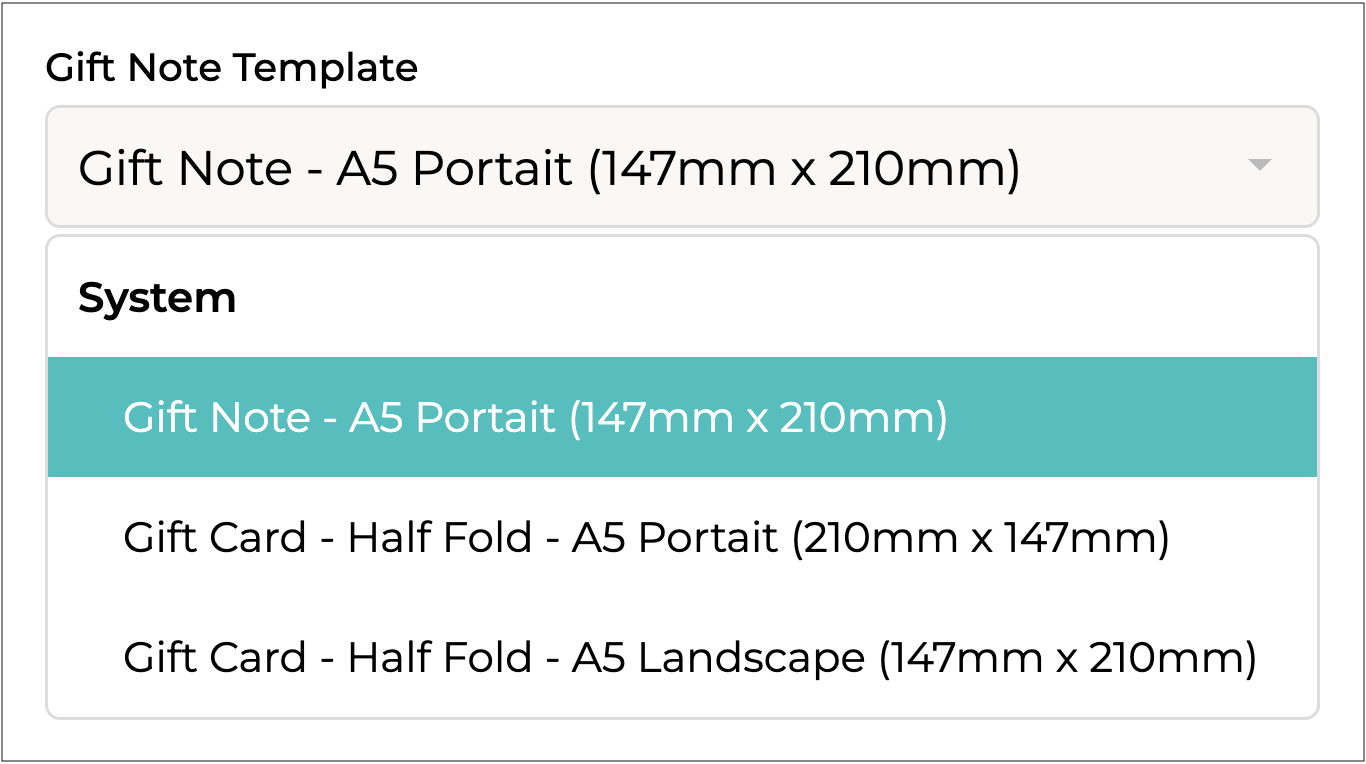
**Gift Note Template**
Select the template size of the gift note to generate.
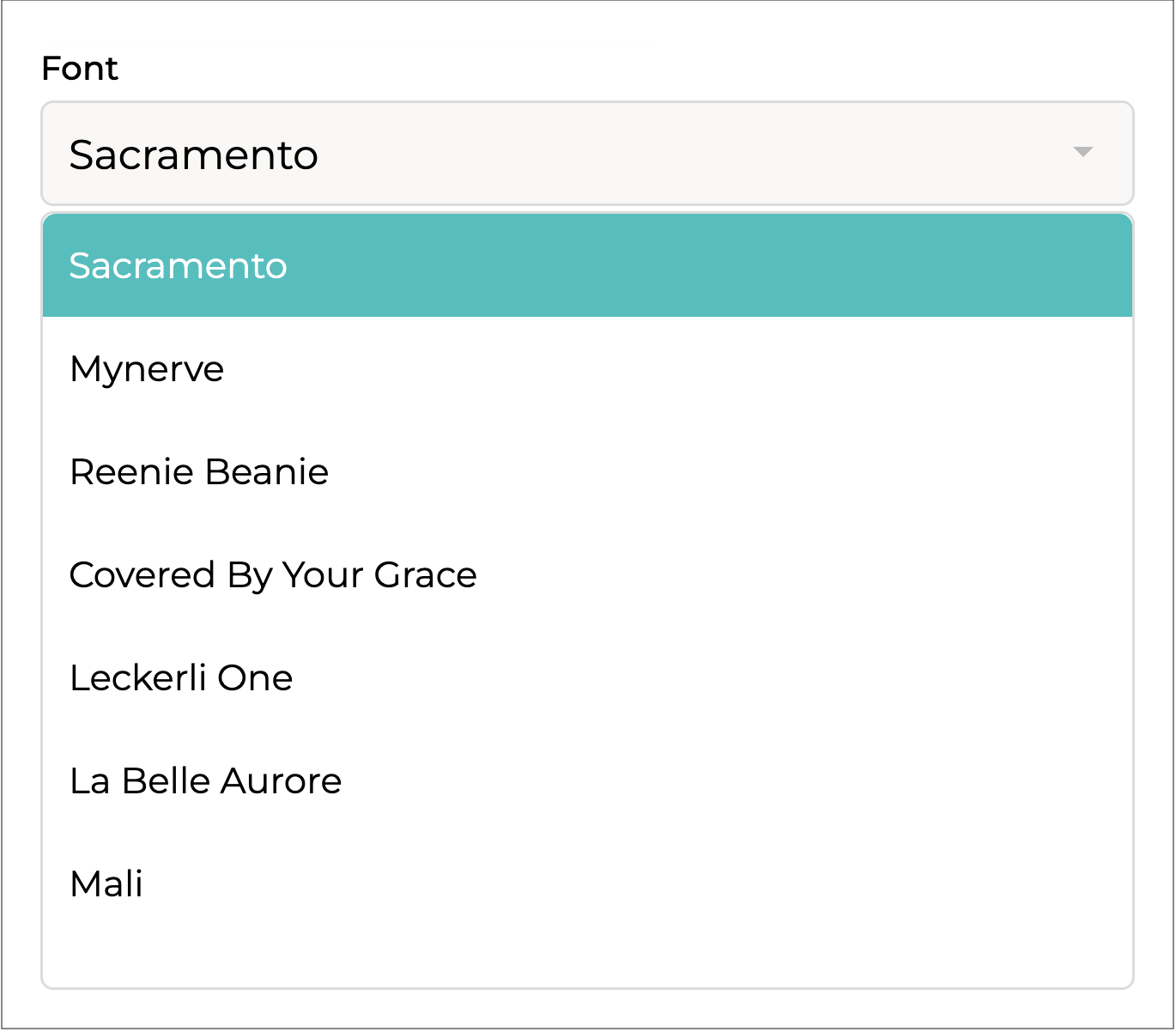
**Font**
Select the font to use on the gift note/card.
**Font Size (mm)**
Enter the font size, in millimetres (mm), to use on the gift note or card.
***
{% endstep %}
{% step %}
#### Complete Remaining Sections
👉 Refer to the [Adding & Updating Products](https://help.supplyd.co/products/adding-and-updating-products) document for details on how to complete all remaining sections.
***
{% endstep %}
{% step %}
#### Save
Click to finish creating the product.

The product will appear on your **Products** page, with displayed beside its name for easy identification.
{% endstep %}
{% endstepper %}
---
# Agent Instructions
This documentation is published with GitBook. GitBook is the documentation platform designed so that both humans and AI agents can read, navigate, and reason over technical content effectively. Learn more at gitbook.com.
## Querying This Documentation
If you need additional information that is not directly available in this page, you can query the documentation dynamically by asking a question.
Perform an HTTP GET request on the current page URL with the `ask` query parameter, and the optional `goal` query parameter:
```
GET https://help.supplyd.co/supplyd-erp/products/product-types/gift-notes-and-cards.md?ask=&goal=
```
`ask` is the immediate question: it should be specific, self-contained, and written in natural language.
`goal` is optional and describes the broader end goal you are ultimately trying to accomplish on behalf of the user. GitBook uses it to tailor the answer towards what is most useful for that goal.
The response will contain a direct answer to the question and relevant excerpts and sources from the documentation.
Use this mechanism when the answer is not explicitly present in the current page, you need clarification or additional context, or you want to retrieve related documentation sections.


 to finish creating the product.

The product will appear on your **Products** page, with
to finish creating the product.

The product will appear on your **Products** page, with  displayed beside its name for easy identification.